
 Tiếng Việt
 हिन्दी
 Español
 Türkçe
 Magyar
 Nederlands
 Bahasa Melayu
 Français
 日本語
日本語Download High-Quality TikTok Video & No Watermark
SnapSave – A Leading Trusted TikTok Video Download Tool
Tip: You can download all Video, Stories, Images, and Reels from TikTok.
Tip: You can download all Video, Stories, Images, and Reels from TikTok.
TikTok is currently one of the fastest-growing short video platforms in the world, where users continuously share entertainment content, trends, life hacks, music, and creative moments every day. Many videos on TikTok go viral, making viewers want to save them for offline viewing or share them with friends.
However, like many other social media platforms, TikTok does not directly support downloading video in original quality or flexibly without watermark. Therefore, tools like SnapSave have emerged to help users Download TikTok video quickly, free of charge, and in original quality with just a few simple steps.
Below is a detailed guide to help you easily download TikTok video.
Open the TikTok app on your phone or access TikTok via a web browser. Find the video you want to download.
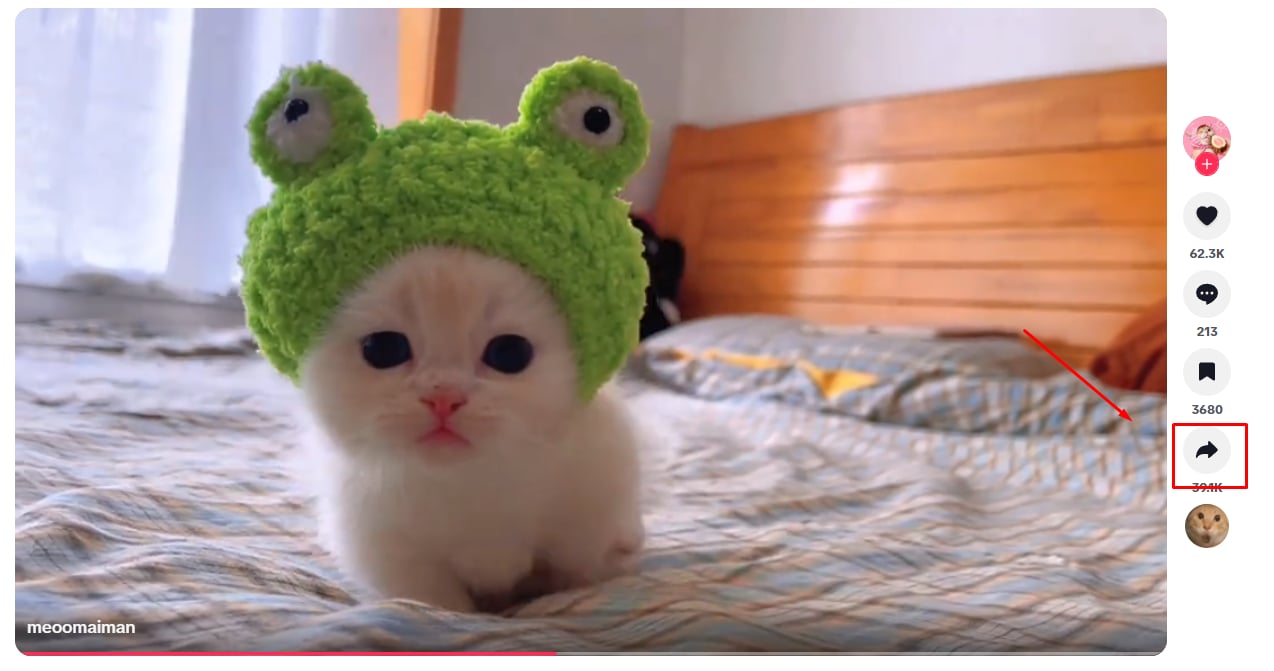
You can copy the link from:
Tip: Or all video, stories, reels allowed by TikTok
Tap the Share button and select “Copy link” to save the video URL to your clipboard.
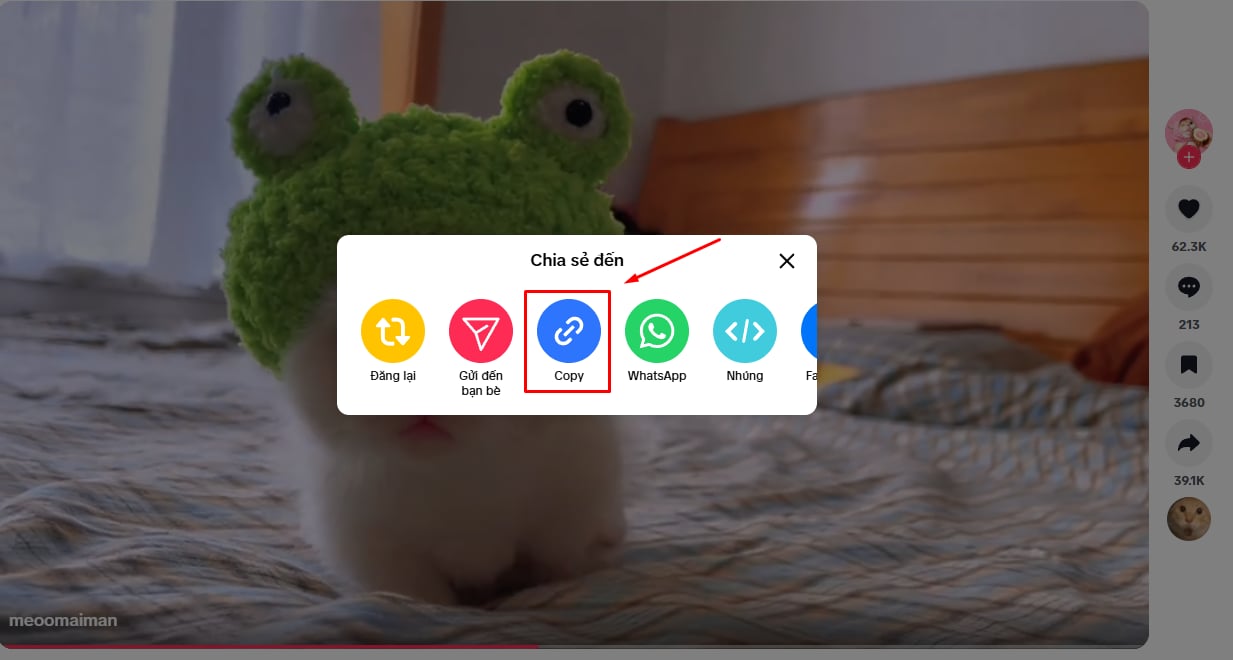
After copying the link, open your browser and go to a video download tool like SnapSave.
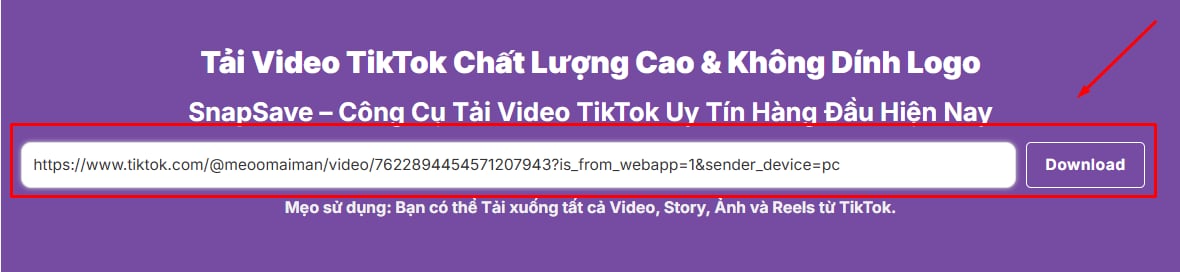
On the main interface, you will see an input box where you can paste the TikTok video link.
Paste the copied TikTok link into the search box, then press Download.
The system will automatically analyze the URL and process the video within seconds, giving you the appropriate downloadable version.
After processing is complete, download options will appear.
You can choose:
Standard video quality
HD quality (if available)
No-watermark version (depending on tool)
Click Download to save the TikTok video to your phone, tablet, or computer.

SnapSave allows you to download TikTok video quickly in original quality, preserving full sharpness and audio. Just copy and paste the TikTok link, and the system processes it within seconds, letting you download easily without losing quality.
 Super user-friendly interface
SnapSave is designed with a simple and intuitive interface, making it easy to download TikTok video quickly. Just copy the video link, paste it into the search box, and click download. The whole process takes only a few seconds, with no software installation or account required.
 Compatible with all operating systems
SnapSave works with most popular operating systems such as Android, iOS, Windows, macOS, and Linux. You can download TikTok video directly in your browser without installing any apps or extensions, making the process fast, convenient, and smooth on all devices.

Yes, SnapSave supports downloading TikTok video without watermark depending on the original video source.
Yes, all TikTok video download features are completely free.
No, you only need to copy and paste the video link to download it instantly.
Yes, SnapSave works well on iPhone, Android, Windows, macOS, and all browsers.
No, the system preserves the original video quality.
You can download regular video, repost video, stories, livestreams (if saved), and photo slideshows.
SnapSave is developed with the goal of helping users download TikTok video quickly, easily, and safely. Simply copy a TikTok link and paste it into the tool, and you can save video, stories, livestreams, or photo slideshows to your device within seconds without installing any software or creating an account.
Unlike many other tools, SnapSave focuses on three main factors: processing speed, output quality, and user experience. The system is optimized to analyze links quickly, run smoothly on all devices, and preserve original video quality.
One of SnapSave standout features is its fully online operation. Users can download TikTok video on Android, iPhone, iPad, Windows, macOS, or Linux using only a browser, without installing any apps or extensions.
We also prioritize user privacy. SnapSave does not require TikTok login, does not collect personal data, and does not store downloaded content during usage.
Currently, SnapSave supports multiple types of TikTok content such as regular video, repost video, TikTok Stories, livestreams (if saved), and photo slideshows, allowing you to easily save all your favorite content.
Note: SnapSave is an independent platform and is not affiliated, sponsored, or officially associated with TikTok or ByteDance. Users must comply with copyright regulations and terms of use when downloading and using content.